Best Citizen Science App: Join Real Research in 2026

You're standing in a meadow at dawn with a phone in one hand and a butterfly in the other, metaphorically speaking. You take a photo, check the location, and wonder whether your small observation can matter to a researcher working in another time zone. A well-designed citizen science app turns that moment into a structured contribution, while showing you what to record, how to submit it, and what happens next.
The best way to begin isn't by chasing badges or downloading every nature app you find. Start by understanding the research question, the evidence you're collecting, and the privacy choices attached to each submission. Those principles matter whether you're recording a bird, measuring a night sky, or keeping a sensitive personal journal.
Table of Contents
- What a Citizen Science App Actually Does
- Common Use Cases and Real Workflows
- How to Choose a Citizen Science App
- Notable Citizen Science Apps Worth Trying
- Why Less Gamification Can Mean Better Science
- Safe Participation for Sensitive Topics
- Your First Contribution in Under an Hour
What a Citizen Science App Actually Does
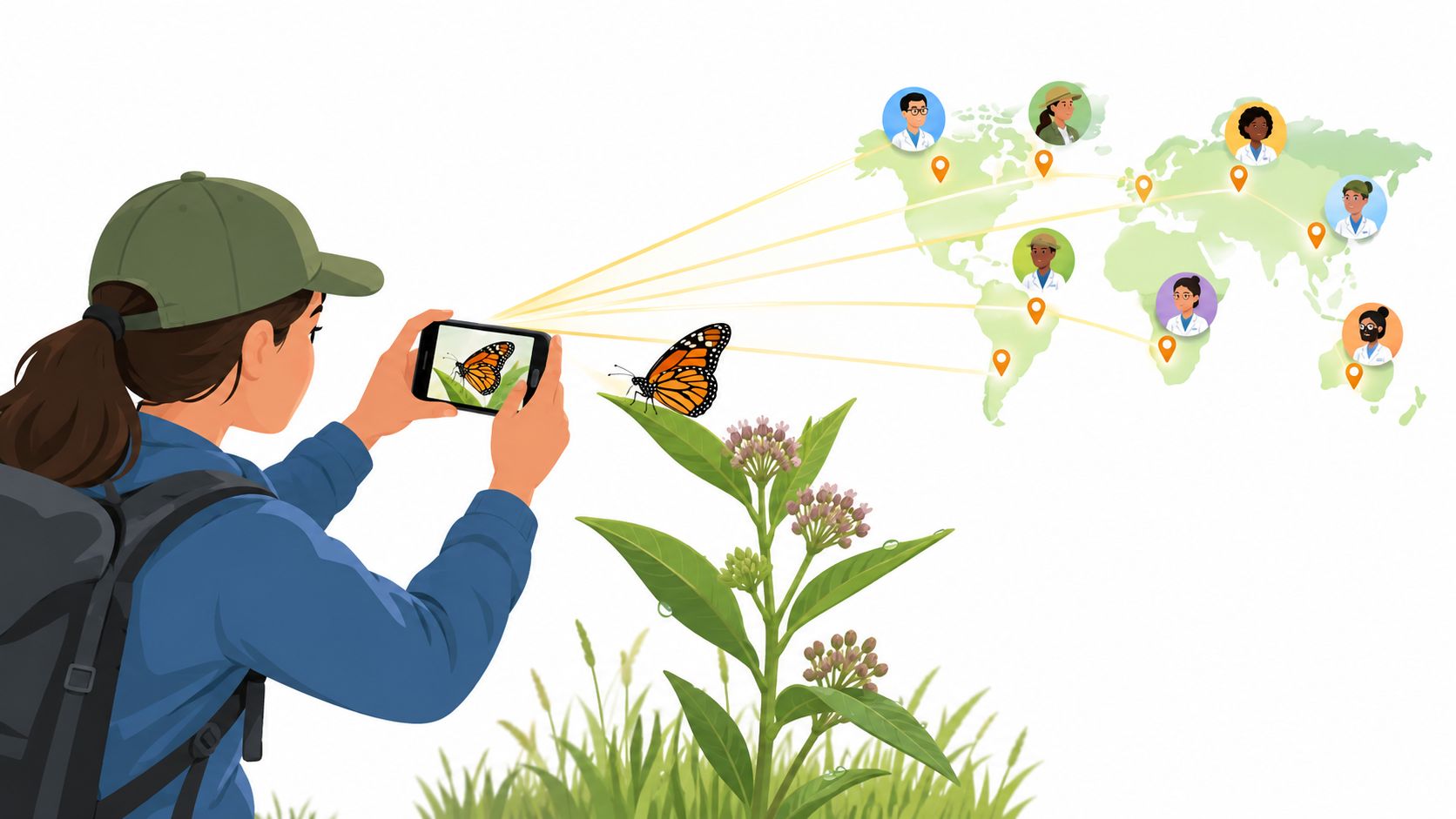
A citizen science app connects an everyday observation with a defined research method. You might photograph a plant, classify an image, record a sound, answer a health survey, or annotate a historical document. The contribution becomes useful when the app captures enough context, such as location, date, device information, or confidence level, for researchers to evaluate it.
The phrase citizen science was first recorded in 1989, describing volunteers who helped generate data about rain acidity in the United States. Mobile tools have since extended that volunteer model into a global digital infrastructure for participation and data collection, moving beyond occasional paper-based projects toward persistent app-enabled monitoring. Nature's review of app-based citizen science describes that broader shift.
The contribution loop
Most projects follow a simple cycle:
- Observe: Find the organism, sound, condition, object, or experience the project studies.
- Structure: Add the required details, such as a photo, audio clip, survey response, or measurement.
- Upload: Send the record to the project's database, often with a location and timestamp.
- Review: Receive feedback, a proposed identification, a quality flag, or access to a community discussion.
The app isn't merely collecting passive information from your phone. You usually choose when to participate and what to submit. It also isn't a social network with a scientific theme, or a quiz whose score disappears after you finish. A serious project begins with a research question and documents how contributions will be checked and reused.
You generally won't need formal scientific credentials. Most projects provide a short tutorial, examples of acceptable submissions, and rules for handling uncertain observations. Follow those instructions carefully. A blurry photo with an honest uncertainty note can be more useful than a confident but unsupported identification.
Practical rule: Submit the evidence you actually have, not the answer you hope is correct.
A personal tracker can use similar ideas without becoming a public data platform. For example, quantified-self tracking methods can help people record experiences consistently, but sensitive entries require stronger controls over identity, sharing, and retention. Citizen science spans ecology, astronomy, health, acoustics, history, and many other fields, so the right workflow depends on the evidence each project needs.
Common Use Cases and Real Workflows
Citizen science becomes easier to understand when you follow a contribution from installation to scientific use. The same three-part pattern appears across fields: install the tool, train with examples, and submit a record that matches the protocol.
Ecology
With iNaturalist, you can photograph a plant or insect, confirm the location, and review an AI-assisted species suggestion before submitting. Other users may help verify the identification. eBird follows a different path. You record a bird checklist associated with a place and time, then submit it for use in distribution and migration research.
Your phone's camera and GPS are usually central to both workflows. The scientific value comes from the combination of the observation and its context, not from the image alone. A project may need the absence of a species, an exact count, or a complete checklist, so read the submission instructions instead of recording only the most attractive discovery.
Astronomy
A sky-quality project such as Globe at Night asks you to compare the night sky with reference charts or estimate its limiting magnitude. You may need your phone's light sensor, a clear view, and a location. The process is less about photographing a spectacular object and more about producing a comparable observation under a defined method.
Health
Health projects can use recurring surveys, symptom reports, or wearable information to study patterns across a cohort. FluSurvey, for example, asks participants to report respiratory symptoms through a website on a weekly basis, helping public health teams include people whose illness may never appear in clinical records. The UK Health Security Agency describes the FluSurvey workflow and its purpose.
Health participation demands closer attention to consent. Before submitting, check what happens to free-text responses, whether data can be deleted, and whether the project publishes results without exposing individual participants.
Soundscapes
Sound projects use microphones or dedicated recorders to capture acoustic signatures. Tools associated with AudioMoth or Rainforest Connection can help researchers study biodiversity through animal calls and environmental sound. The device records first, and classification may happen later, which preserves evidence for review.
| Domain | Example App | Required Sensor | Typical Session |
|---|---|---|---|
| Ecology | iNaturalist or eBird | Camera and GPS | A short field observation or checklist |
| Astronomy | Globe at Night | Light sensor and location | A brief night-sky comparison |
| Health | FluSurvey | Phone or web access | A recurring symptom report |
| Soundscapes | AudioMoth or Rainforest Connection workflows | Microphone or recorder | A scheduled acoustic recording |
Session length varies by protocol. More time or more submissions won't automatically improve a dataset. A careful record that follows the project's instructions can be more valuable than a large batch of incomplete entries.
How to Choose a Citizen Science App
The app with the most colorful interface isn't necessarily the right one. Use a decision matrix that starts with the questions many newcomers overlook: privacy, ownership, interoperability, and scientific credibility.
Start with privacy
Find out where the data is stored and whether the project separates your identity from the observation. Does the app collect precise location by default? Can you submit with a private or approximate location? Is sensitive information visible to other users?
Independent citizen science privacy guidance recommends encrypted transfers, machine-readable personal-data exports, and the ability to anonymize stored personal information without waiting. Those aren't decorative features. They determine whether you can participate while retaining meaningful control.
Check ownership and portability
Look for a clear answer to three questions:
- Personal copy: Can you download the records you created?
- Deletion: Can you remove your account and associated data?
- Format: Does the app export a usable format such as CSV or a domain-specific standard such as Darwin Core?
Interoperability matters because a project may change platform, merge databases, or stop supporting an old app. An export gives you a practical route to preserve your own work. The EFFECTIVE citizen science app release documentation provides a concrete example of an app supporting CSV management and export, encrypted transfer, and removal of account-related fields from open-data exports under the ODbL 1.0 license.
Test the scientific foundation
Look for an affiliated university, museum, public agency, or clearly documented research protocol. A project doesn't need an intimidating interface, but it should explain its methods, review process, and intended outputs.
Use this quick evaluation prompt before creating an account:
“Where is the ethics statement, how are submissions validated, what data can I export, and which publication or DOI documents the method?”
If you can't find answers, treat the app as an educational activity rather than assuming every tap contributes to research. You can also compare the app's data visualization approach with practical data visualization best practices, especially when the project promises personal feedback.
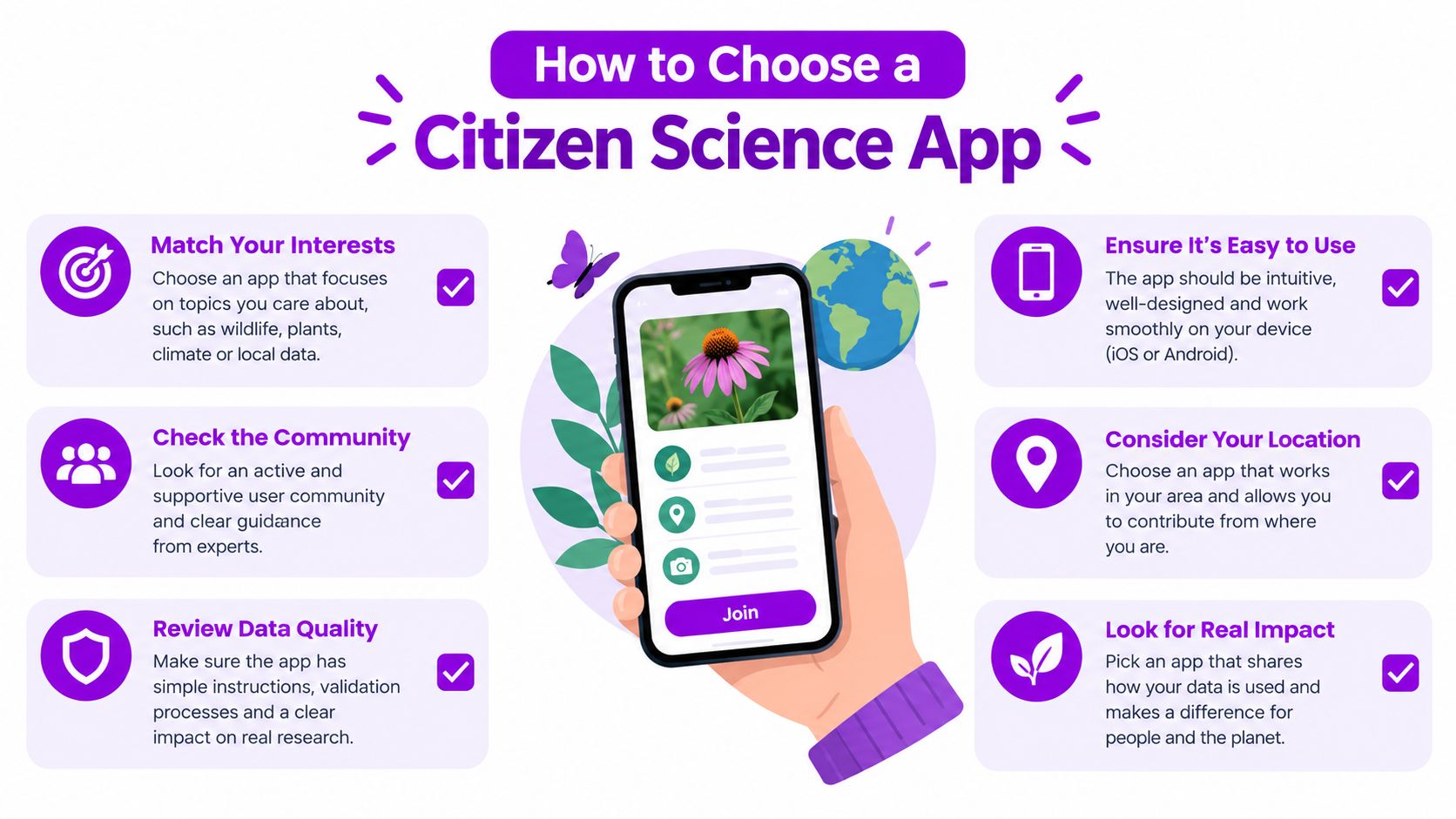
Be cautious when an app makes engagement the main measure of success. Points may help you learn the workflow, but accuracy, documentation, and user control should determine whether you keep using it.
Notable Citizen Science Apps Worth Trying
The best way to choose a project is to imagine what you'll do during a real session. Each app below creates a different kind of contribution, and each asks you to pay attention to different evidence.
iNaturalist
You spot an unfamiliar plant, open iNaturalist, and take a photo with your phone's camera. GPS adds the observation location, while the app offers a possible identification. You can accept the suggestion, correct it, or leave the record uncertain for community review.
A short session can produce a species record that contributes to range maps and biodiversity databases. The community layer matters because other participants can inspect the image and propose a better identification. Your photo remains the evidence behind the discussion.
eBird
With eBird, you choose a location, record the birds you see or hear, and submit a checklist. A phone with GPS is useful, while a microphone can help if you record calls separately. A brief checklist can become part of larger migration and distribution models when it follows the project's rules.
The most valuable observation may be an ordinary checklist rather than a rare bird. Complete reporting helps researchers interpret what you did and did not detect.
Globe at Night
For Globe at Night, you step outside, allow the app or website to use your location, and compare the sky with reference material. The phone's light sensor may support the observation, but the method depends on following the comparison instructions rather than pointing the camera at a bright object.
The resulting record helps characterize light pollution. A session is usually brief, but cloud cover and local conditions should be recorded accurately because they affect interpretation.
Foldit
Foldit feels unlike a field app. You manipulate protein structures in a puzzle interface, trying arrangements that satisfy the project's scoring function. You don't need a camera or GPS. Your contribution is a candidate protein conformation that researchers can evaluate as part of a computational research workflow.
The interface teaches through feedback, but a high score is useful because it reflects the project's structural rules, not merely because it earns a badge.
Zooniverse
On Zooniverse, you might transcribe handwritten First World War diaries or classify images. A browser or phone can be enough, although a larger screen may make handwriting easier to read. You submit an annotation, and other volunteers may review the same material so the project can reconcile differences.
The output isn't a personal collection of completed pages. It's a structured transcription or classification that helps researchers search and analyze historical sources.
| App | Domain | Device Needs | Typical Session | Contribution Output |
|---|---|---|---|---|
| iNaturalist | Ecology | Camera and GPS | A short observation | Species records and range information |
| eBird | Ornithology | GPS, optional microphone | A brief checklist | Bird distribution and migration data |
| Globe at Night | Astronomy | Light sensor and location | A short sky comparison | Light-pollution observations |
| Foldit | Protein science | Browser or mobile interface | A focused puzzle session | Candidate protein conformations |
| Zooniverse | History and other fields | Browser or phone | A short annotation session | Transcriptions and classifications |
The screen may close when you finish, but the contribution usually enters a review, reconciliation, or validation process. Read the project's feedback policy so you know whether you'll see corrections, aggregate results, or only a submission receipt.
Why Less Gamification Can Mean Better Science
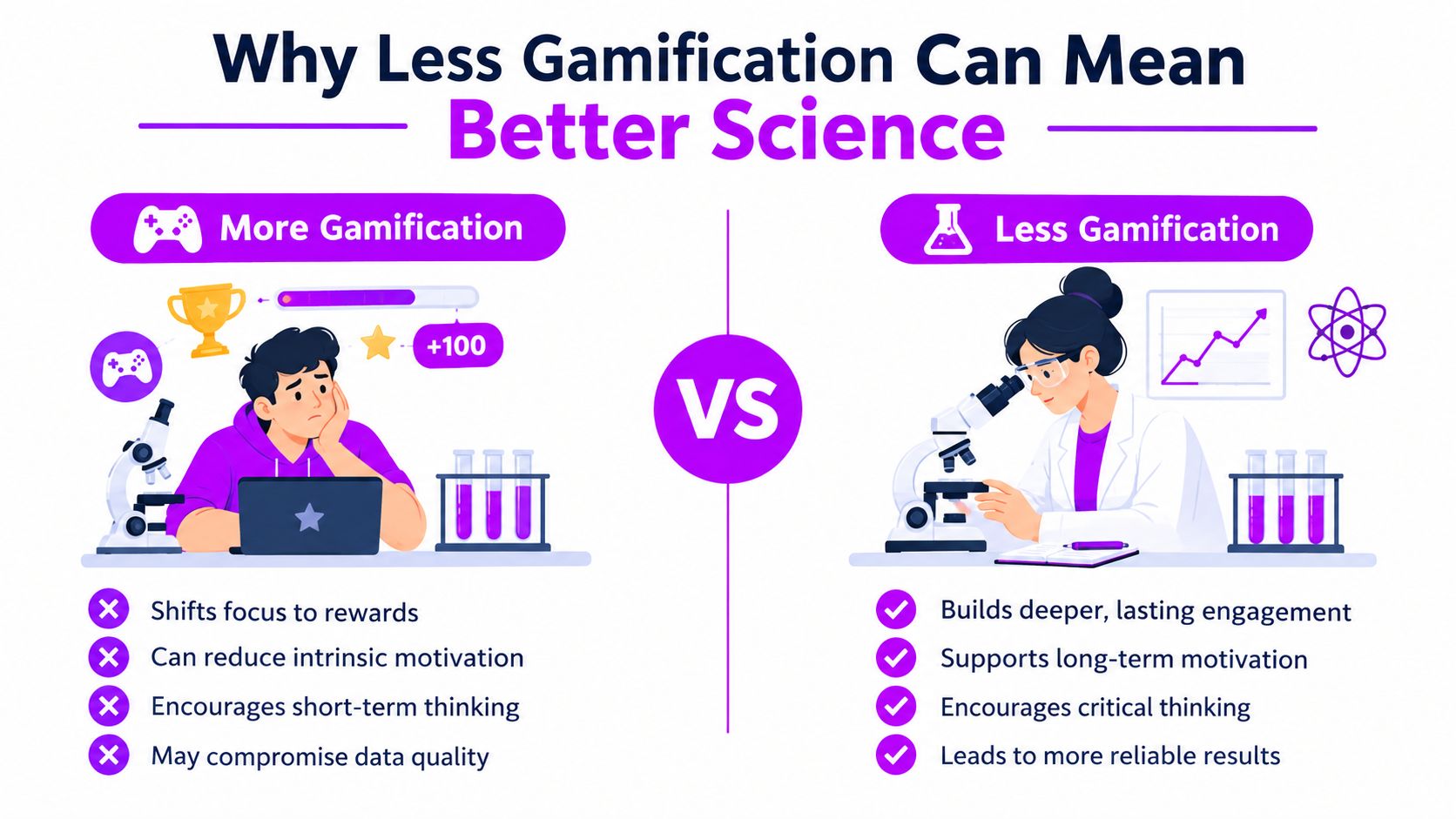
Points and leaderboards can make a new app approachable, but they can also influence what volunteers choose to report. A competitive system may steer people toward easy, photogenic species or unusual discoveries while leaving out weeds, empty checklists, overcast skies, and other observations that help researchers understand what was present.
Participant reliability can vary sharply. In a mobile bird-sound study, a sample of 50 users had average correct identification of 73%, with individual results ranging from 46% to 98%. The validated dataset contained 38.2% true negatives, 35.7% true positives, 17.6% false positives, and 8.5% false negatives. The study's account of user reliability and validation supports a cautious design: preserve the raw audio, record the user's classification, and allow later review.
Design for auditability
A quiet interface can still support rigorous science. Useful features include:
- Versioned records: Keep the original submission alongside later corrections.
- Quality flags: Mark uncertain identifications, poor recordings, or unusual measurements.
- Independent review: Let more than one person assess difficult evidence.
- Calibration prompts: Ask users to check the device before collecting measurements.
- Raw-file retention: Preserve the photo, audio, or original entry for reanalysis.
A smartphone sensor isn't automatically a scientific instrument. A review of smartphone sensors found that calibrated sound apps achieved about ±1.5 dB accuracy and could approach IEC 60651 Type II field-grade performance. Light measurements reached about ±12% accuracy above 5,000 lx, but performed much worse below 3,000 lx. The same review notes that calibration can reduce uncertainty by up to an order of magnitude, while device-dependent errors can reach ±15 dB for sound and about ±1,500 nT for magnetic-field sensing. The smartphone sensor review explains why protocols matter.
A confirmation dialog isn't always friction. Sometimes it's the point where a guess becomes a documented uncertainty.
Gamification still has a role in tutorials and early exploration. Once volunteers understand the workflow, the app should reward careful evidence, transparent corrections, and sustained attention rather than making every submission a race.
Safe Participation for Sensitive Topics
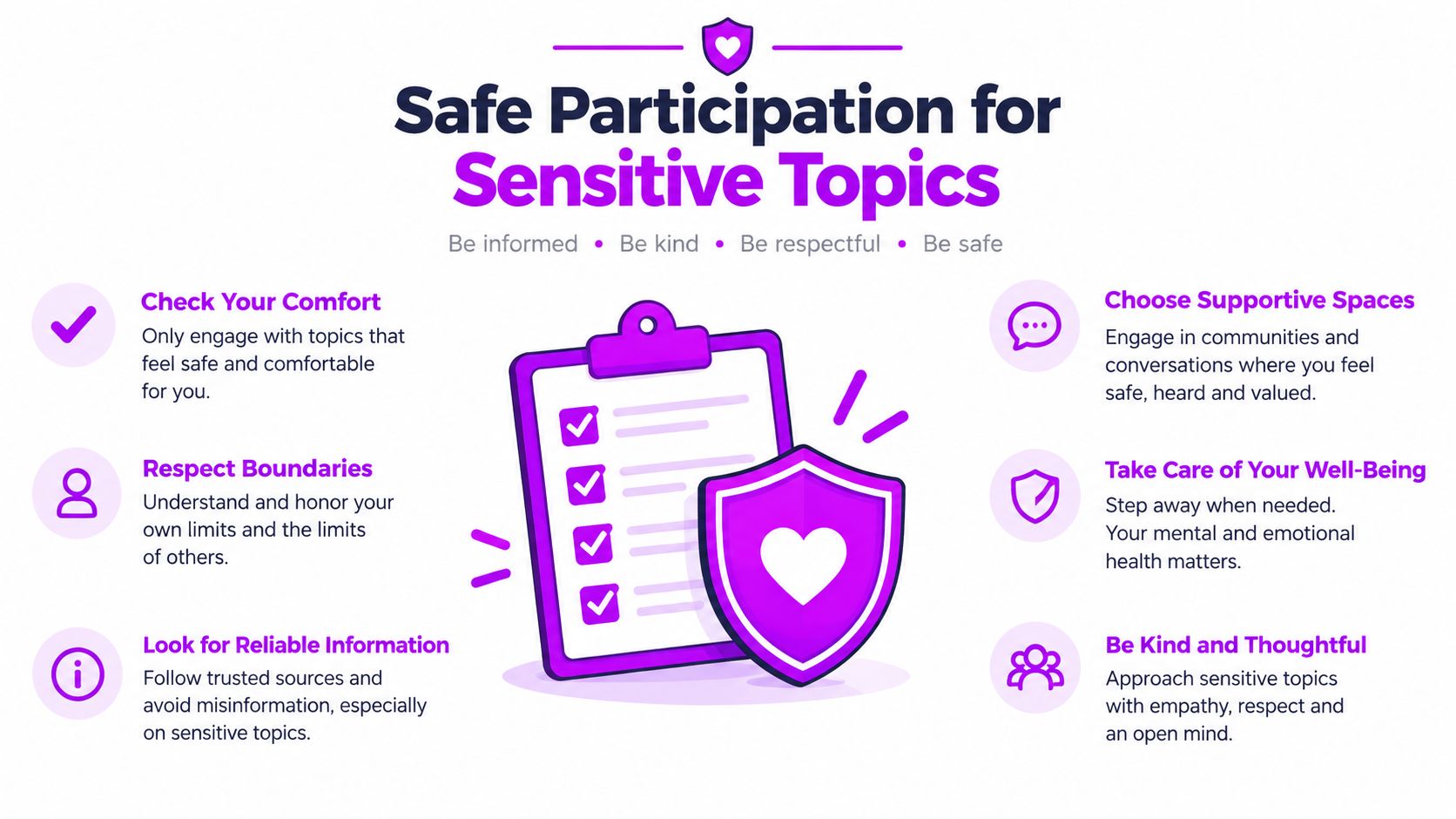
Sensitive self-tracking creates a harder design problem than photographing a flower. A record about mood, medication, substance use, or mental health may reveal more about you than a public biodiversity observation. The app must protect privacy without making the data so vague that researchers can't interpret it.
Microdosing offers a useful example. The Fadiman protocol uses one day on followed by two days off, then repeats. A 2024 survey analysis reported that the Fadiman protocol was the most common schedule among respondents, used by 38% of participants, n=75. The published survey analysis shows why a named schedule can help participants describe behavior consistently, but a schedule doesn't remove the need for consent, privacy, or medical caution.
Separate the journal from the research dataset
A privacy-first tracker should make participation optional and granular. You should be able to keep a private journal without contributing entries to a study, then choose whether to share a de-identified subset under clear terms.
Look for these controls:
- Anonymous-by-default accounts: The service shouldn't require a real name when a pseudonym is sufficient.
- Local-first storage: Entries should remain on your device unless you opt into synchronization.
- Strong encryption: Data should be protected during transfer and while stored.
- Granular consent: You should understand which fields are exported and why.
- Deletion and export: You should be able to download your records and remove them without unnecessary delay.
- Clear licensing: The project should explain whether raw entries can be resold or reused commercially.
The MicroTrack privacy guidance offers a useful checklist for evaluating these mechanics. MicroTrack is a microdosing journal and tracker that supports mood logging, dosage and sensation notes, protocol schedules, trend visualizations, searchable history, and CSV export. Its product information states that entries are encrypted in transit and at rest, data isn't sold or shared, and deletion is available through the app.
Protect credibility as well as anonymity
An anonymous record can still be scientifically useful when it includes a consistent date, a clearly defined measure, an uncertainty note, and enough context for analysis. Don't include identifying details in free text if the protocol doesn't require them. Avoid combining precise location, unusual life events, and personal health information when a broader category would answer the research question.
Before your first entry, ask:
- Can I use a pseudonym and a separate email?
- Can I export my records as CSV?
- Does the app explain retention and deletion?
- Is data sharing opt-in or automatic?
- Can I withdraw from a research dataset?
- Is the study reviewed by an appropriate ethics process?
- Does the project publish methods and de-identification practices?
Privacy-first participation isn't a retreat from science. It creates conditions in which people can contribute honest, structured information without surrendering control of their personal history.
Your First Contribution in Under an Hour
Treat your first session as a verification exercise, not just an installation. You're checking whether the project respects your data, teaches its method, and provides evidence that submissions enter a real research workflow.
Follow the onboarding sequence
- Choose a vetted project. Search a project directory such as SciStarter or Zooniverse, then read the project description rather than relying on the app-store summary.
- Create a minimal account. Use a pseudonym and a dedicated email when the project allows it. Avoid adding profile details that the protocol doesn't need.
- Read the consent form. Look for data reuse, public visibility, retention, deletion, and withdrawal terms. Don't submit sensitive information until those terms make sense.
- Complete the tutorial. Work through the examples until you can distinguish an acceptable record from an uncertain or invalid one.
- Submit one test contribution. Capture the required evidence, add the correct context, and save the confirmation or audit identifier.
- Check the verification path. Look for a participant dashboard, validation status, published methods paper, results page, or preprint.
A project should identify its principal investigator or responsible organization. Search that name alongside the project title, and compare the results with records in SciStarter or Zooniverse. You're looking for a coherent trail from project description to method to output, not a promise that every individual record will appear publicly.
Before you continue: export your first record if the app supports it. A successful export confirms that the data is both accessible and understandable outside the interface.
Once the first contribution is accepted, set a recurring 20-minute weekly slot. Regular participation helps build a more useful personal record and gives the project observations across changing conditions. Keep a private note about what you submitted, what the app taught you, and what you'd change next time.
MicroTrack offers a structured, privacy-focused way to journal mood, dosage, sensations, and protocol schedules, with trend views and CSV export for people who want control over their own records. If you're exploring how sensitive self-tracking can support more careful personal reflection and responsible research participation, visit MicroTrack and review its privacy features before starting.