Personal Health Records Explained and How to Build Yours
You're standing in a clinic waiting room, trying to remember the name of a medication you stopped taking last year. The lab result is buried in one patient portal, your allergy information is written on a phone note, and your mood observations live in a separate app. None of these details is difficult to record, but together they're hard to find when you need them.
Personal health records solve that organizational problem by giving you a health information system you can manage yourself. A useful record doesn't merely store medical files. It helps you understand what happened, notice patterns, prepare for appointments, and decide what information to share with a clinician.
The idea has moved well beyond a specialist niche. A U.S.-based study found that about 8 million people used two core PHR functions in 2008, rising to more than 31 million by 2013, a near fourfold increase in five years. The same literature also describes an earlier period when fewer than 1% of the U.S. population, roughly 2.5 million people, had ever used a PHR, showing how quickly the concept developed from an early experiment into a broader consumer tool. The review of PHR adoption and use provides that historical context.
This guide treats a PHR as a personal operating system for health information. You'll learn what belongs in it, how it differs from an electronic health record, how to handle privacy and interoperability, and how to design practical tracking templates for mental health and microdosing. The aim isn't to collect everything. It's to create a reliable, understandable record that stays under your direction.
Table of Contents
- Introduction to Personal Health Records You Actually Control
- What Personal Health Records Are and How They Work
- Personal Health Records vs EHRs and Key Differences Explained
- Benefits Risks and Privacy Realities of Personal Health Records
- How to Create and Maintain a Useful Personal Health Record
- Integrating Apps Exportability and Data Ownership in Practice
- Practical Next Steps and Tips for Different Health Journeys
Introduction to Personal Health Records You Actually Control
A personal health record becomes useful at the moment your memory and your healthcare systems stop lining up. You may visit a new clinician who can't see an older specialist's notes, switch pharmacies, travel away from home, or try to explain a pattern that developed gradually. In each case, the problem isn't only missing information. It's the lack of a clear personal view.
Think of your PHR as a well-organized health dashboard. It can contain your diagnoses, medications, allergies, immunizations, test results, procedures, family history, symptoms, lifestyle observations, and questions for your next appointment. The record can also include information you generate yourself, such as sleep notes, mood ratings, or responses to a routine. You decide which details deserve regular attention and which should remain available for reference.
That control matters because health information comes from many places. A provider portal may hold visit notes and laboratory results. A wearable may collect activity or sleep information. A journal may capture anxiety, energy, or side effects in language no clinical system would record. A PHR brings these pieces into a format you can review without asking each organization to reconstruct your history.
Who benefits most from a personal record
You don't need a complex diagnosis to benefit. A PHR can help anyone who wants a dependable medication list, a record of allergies, or a concise history before an appointment. It becomes especially valuable when you see several providers, manage a long-term condition, track changing symptoms, or want to discuss self-generated data without relying on recall.
Adoption still varies sharply by location and period. A 2020 cross-country analysis reported rates from 0.13% in the United Kingdom to 10% in the United States, while 80% of U.S. respondents expressed interest even though only 2.2% used a PHR. In New York State, use rose from 11% in 2012 to 27.1% in 2015, illustrating how access and policy can influence uptake. The cross-country PHR analysis in JMIR shows the difference between wanting a tool and using it consistently.
A well-maintained PHR should answer three questions quickly: What has happened? What am I noticing now? What should I share with my care team? You can start with a small, accurate foundation and add detail only when it helps you make a decision.
What Personal Health Records Are and How They Work
A personal health record is a collection of health information that you can access, organize, review, and often share for your own purposes. The simplest analogy is an operating system. Your phone's operating system connects contacts, messages, photos, and apps so they work together. A personal health operating system connects medical history, test results, medications, and self-tracked observations so you can see how the pieces relate.
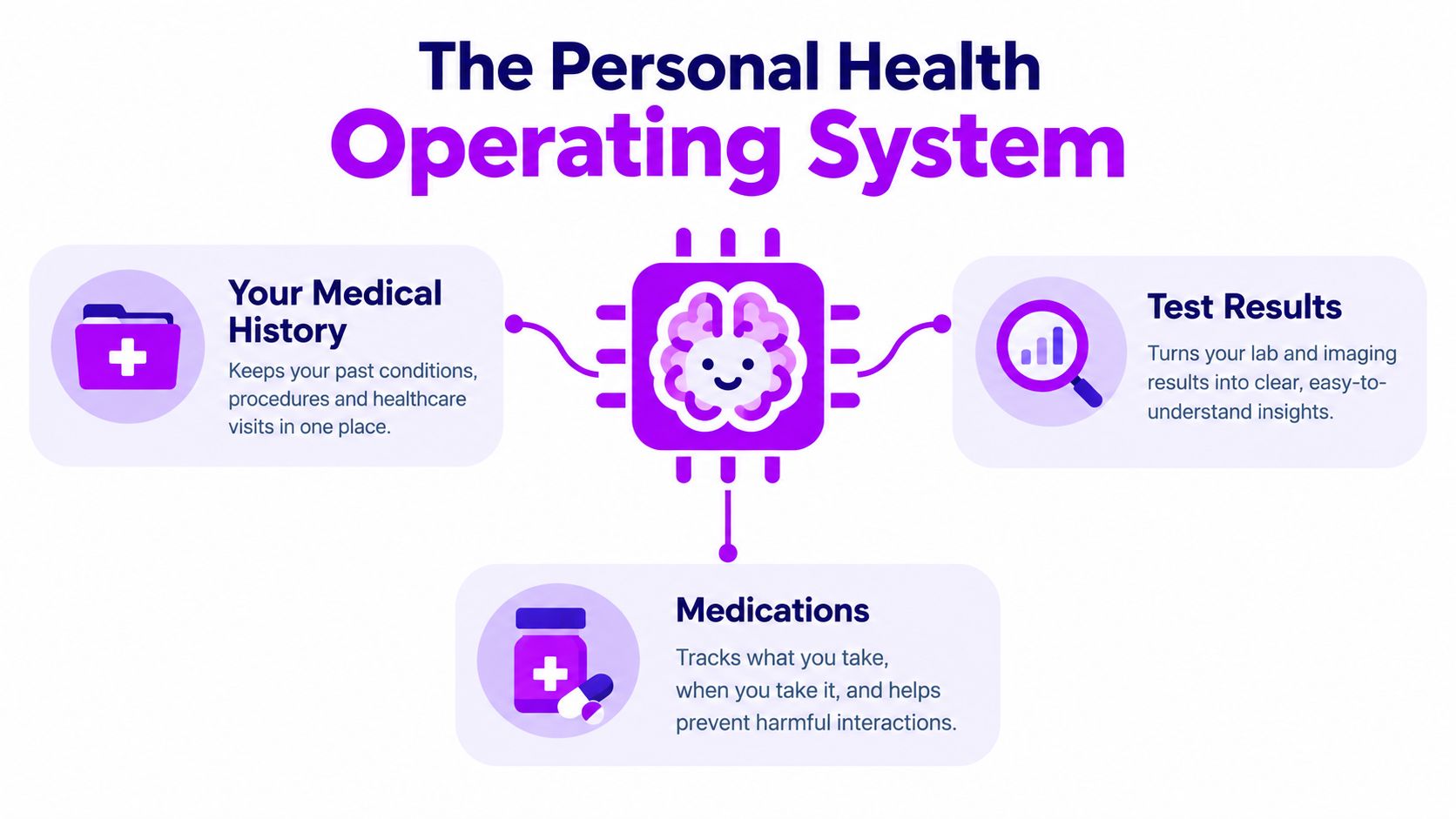
The system may contain information imported from healthcare organizations, entered by you, or generated by a device. It might live in a patient-facing app, a secure document system, a connected platform, or a combination of tools. The storage location matters less than the practical questions: Can you find the information? Can you understand its origin? Can you correct it? Can you export selected parts when you choose?
Three common PHR models
A standalone PHR is separate from a particular clinic or hospital. You enter information manually or import files and data from other sources. This model gives you broad flexibility, but accuracy depends on your maintenance habits.
A tethered PHR connects to one healthcare organization's patient portal. It can make that organization's information easier for you to view, but its usefulness may depend on what the provider supports and whether your other records connect.
An untethered PHR isn't tied to one provider. It can combine information from several sources and may give you more control over the complete picture. It may also require more careful setup, especially when different systems label or format the same information differently.
How information moves
The provider's electronic health record, or EHR, is primarily a system used by clinicians and healthcare organizations to document and manage care. A PHR is designed around the individual's ability to view, organize, and use information. The two systems work best together when data moves securely and retains enough context to remain meaningful.
Older HHS advisory material warned that many PHRs weren't interoperable and that their value depended on reliable exchange with EHRs and other health data sources. Modern implementations increasingly use HL7 FHIR, a standard that supports REST-based APIs and resource-level data access for more granular exchange. The HHS advisory report on health information exchange explains why storage alone isn't enough.
Your ownership model should also include authority over sharing. You might want a clinician to see a medication list and recent laboratory results, but not a private journal entry. A useful PHR lets you make that distinction rather than forcing an all-or-nothing transfer.
Personal Health Records vs EHRs and Key Differences Explained
PHRs and EHRs aren't competing versions of the same product. They serve different users and priorities. An EHR helps a healthcare organization document care, coordinate clinical work, and maintain an official provider record. A PHR helps you assemble information from different places and use it as a personal reference and decision-support tool.
PHR vs EHR At a Glance
| Feature | Personal Health Record | Electronic Health Record |
|---|---|---|
| Primary user | The individual or authorized caregiver | Clinicians and healthcare organizations |
| Main purpose | Personal organization, understanding, tracking, and selective sharing | Clinical documentation, treatment coordination, and operational care |
| Ownership and control | The individual usually chooses what to add, retain, export, or share | The provider organization manages the clinical system and its records |
| Data sources | Provider records, personal entries, apps, devices, and uploaded documents | Encounters, orders, results, prescriptions, diagnoses, and clinical documentation |
| Access | Designed for patient access across settings, depending on the platform | Access depends on the organization's portal, policies, and systems |
| Personal observations | Can include mood, symptoms, habits, and reflections | Usually includes information relevant to clinical care |
| Corrections | You can update your personal entries and flag problems in imported data | Corrections follow the provider's documentation and amendment processes |
| Data exchange | May import or export selected information through files, APIs, or standards | Exchanges information with other clinical systems when supported |
| Control over sharing | Can support user-authorized, selective sharing | Sharing follows provider, legal, and system rules |
A provider portal remains useful because it may be the most direct place to see new results, visit summaries, and clinician messages. Your PHR adds continuity across organizations and gives you a place for information that clinical systems don't capture well, such as a symptom timeline or questions you want answered.
The 21st Century Cures Act defines interoperability as technology that enables secure electronic exchange without special effort by the user, supports complete access, exchange, and use of electronically accessible health information for authorized purposes, and is designed to avoid information blocking. The statutory text of the 21st Century Cures Act makes clear that practical health technology must support movement, not merely storage.
ONC's Cures Act Final Rule says patients must be able to electronically access their electronic health information, structured and unstructured, at no cost. It also requires standardized APIs so individuals can securely access structured data through smartphone apps, while identifying nine exceptions to information blocking. ONC's explanation of the Cures Act Final Rule provides the regulatory foundation.
Benefits Risks and Privacy Realities of Personal Health Records
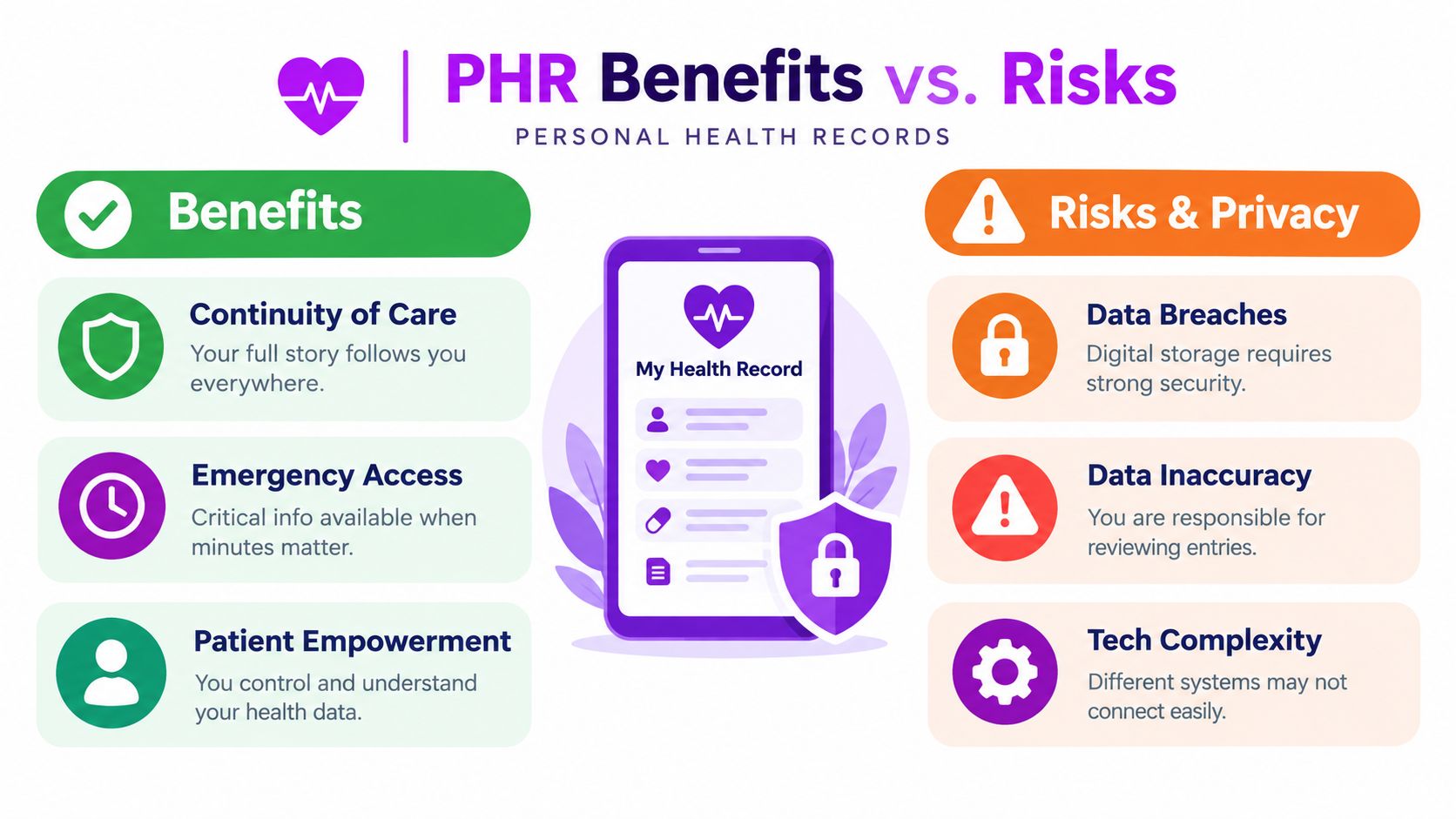
The strongest reason to maintain a PHR is continuity. You can carry a current medication list, allergy record, procedure history, and personal observations into a new appointment instead of rebuilding your story from memory. That can make conversations more focused and help you notice when different records disagree.
A PHR can also support emergency preparation. A concise summary with allergies, medications, diagnoses, emergency contacts, and clinician details may be easier to access than a collection of separate portal accounts. Self-tracking adds another layer, especially when you record symptoms close to the time they occur rather than trying to reconstruct weeks of events later.
The risks are practical rather than theoretical. A record can be incomplete, outdated, incorrectly entered, or difficult to interpret. An app may not connect to a clinic. A device may record a measurement without enough context to explain what happened. Privacy depends on the platform's safeguards, your account security, and the choices you make about exporting or sharing.
What access rights change
Federal guidance tied to the Cures Act states that blocking patients from their own electronic patient health information is against the law. The guidance applies to electronic information rather than paper records and says immediate electronic access to significant portions of a patient's electronic health information is required upon request unless an exception applies. The patient-access explanation from OpenNotes shows why timely electronic access matters.
That protection doesn't mean every personal health app is automatically safe or that every imported field is correct. You still need to review permissions, use strong account protection, check sharing settings, and understand how deletion and export work.
Privacy decisions should be selective
Ask what the recipient needs, why they need it, and how long they'll retain it. A clinician might need your current medications, recent results, and symptom timeline. They may not need every private reflection or raw device log.
Practical rule: Share the smallest useful dataset, and keep a private copy of the complete record under your control.
For a more detailed review of account, device, and sharing habits, use this guide to data privacy best practices. Privacy isn't a reason to avoid a PHR. It's a reason to choose tools carefully and make sharing an intentional act.
How to Create and Maintain a Useful Personal Health Record
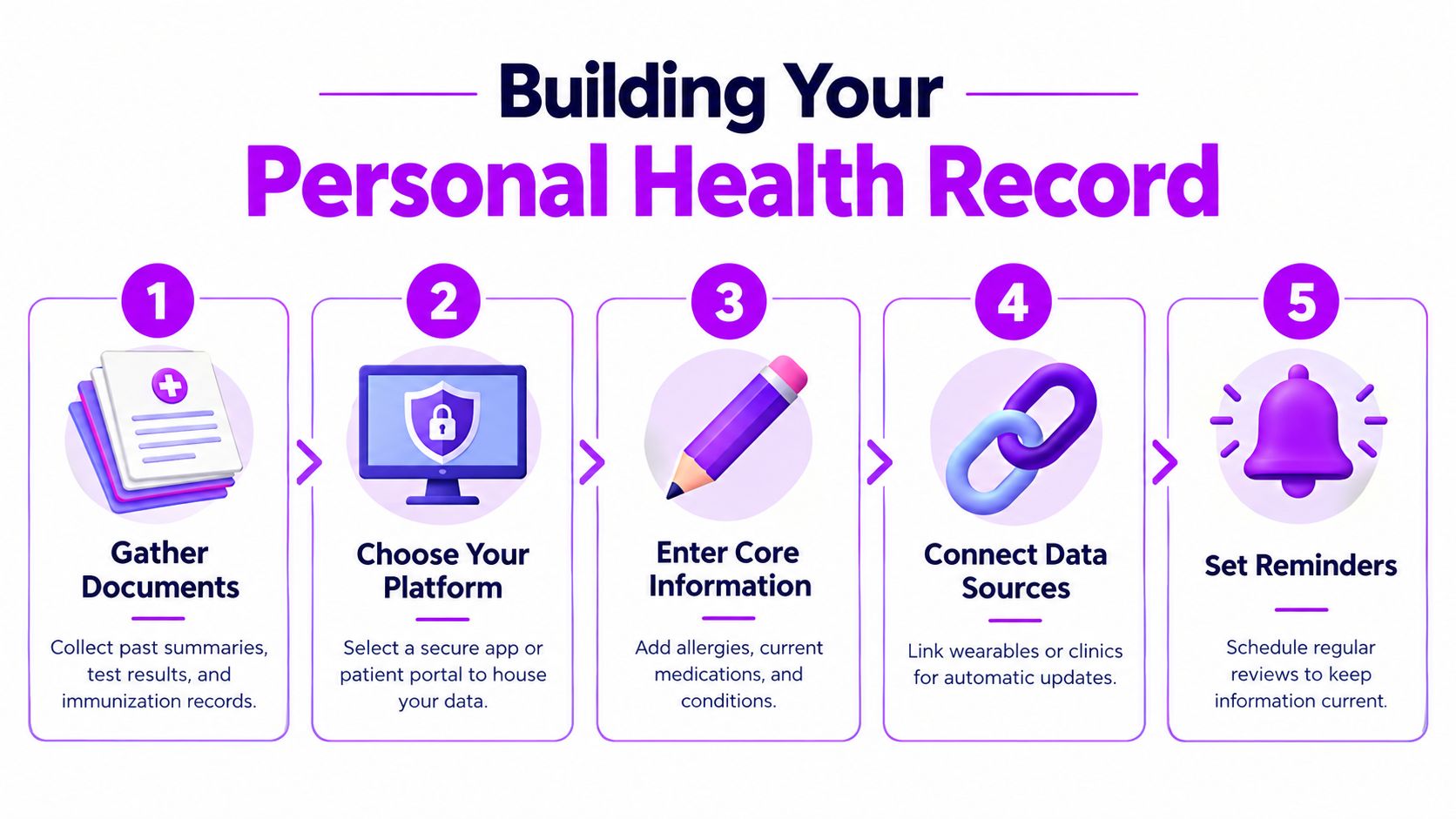
Start with information that can change a decision. A giant archive feels impressive but becomes difficult to review. Your first version should make it easy to answer basic questions during an appointment, a pharmacy conversation, or an urgent situation.
Build the foundation first
Create these core areas:
- Identity and contacts: Record your name, date of birth, emergency contact, primary clinician, preferred pharmacy, and relevant insurance details.
- Medications: Include the name, strength, schedule, reason for use, start date if known, and whether you currently take it. Mark discontinued medicines clearly.
- Allergies and reactions: Separate confirmed allergies from suspected sensitivities, and describe the reaction rather than recording only the substance.
- Conditions and procedures: Add diagnoses, surgeries, hospitalizations, and major dates. If a diagnosis is uncertain, label it as a question rather than a fact.
- Results and documents: Save laboratory results, imaging reports, discharge summaries, and immunization records with their dates and source.
- Questions and observations: Keep a running list of symptoms, concerns, and changes you want to discuss.
Use consistent labels. “Headache, evening, moderate, after poor sleep” is more useful later than “felt bad.” Add the date, time when relevant, context, and whether the observation came from you, a device, or a clinician.
Templates for nuanced tracking
For mental health tracking, keep the daily entry short enough to complete on difficult days:
- Mood from 0 to 10
- Anxiety from 0 to 10
- Sleep duration and perceived quality
- Energy level
- Notable stressors
- Medication or supplement changes
- A brief note on function, such as work, social contact, or self-care
Avoid turning the journal into a demand for perfect emotional analysis. The purpose is to identify patterns worth discussing, not to diagnose yourself from a graph.
For microdosing tracking, record the substance and amount only if you're comfortable and legally able to do so, along with date, time, protocol day, food or caffeine context, mood before and later in the day, sleep, physical effects, and any unwanted effects. A two-phase entry works well: capture the dose and immediate context in the moment, then add a reflection later when you have more perspective.
Accuracy habit: Separate what you observed from what you concluded. “Felt restless after taking it” is a record. “This caused anxiety” is a hypothesis to discuss and test cautiously.
Review the record on a regular schedule that feels sustainable. Correct outdated medications, preserve original dates when editing, and mark uncertain information clearly. You can also learn how to export data before changing platforms, sharing with a clinician, or creating a backup.
Integrating Apps Exportability and Data Ownership in Practice
Apps and wearables can add valuable context, but more data isn't automatically better. A useful connection answers a defined question: Does sleep relate to your morning mood? Did a medication change coincide with a symptom shift? Does a routine affect your daily functioning? If the data can't support a decision or a focused conversation, leaving it out may make the PHR easier to understand.
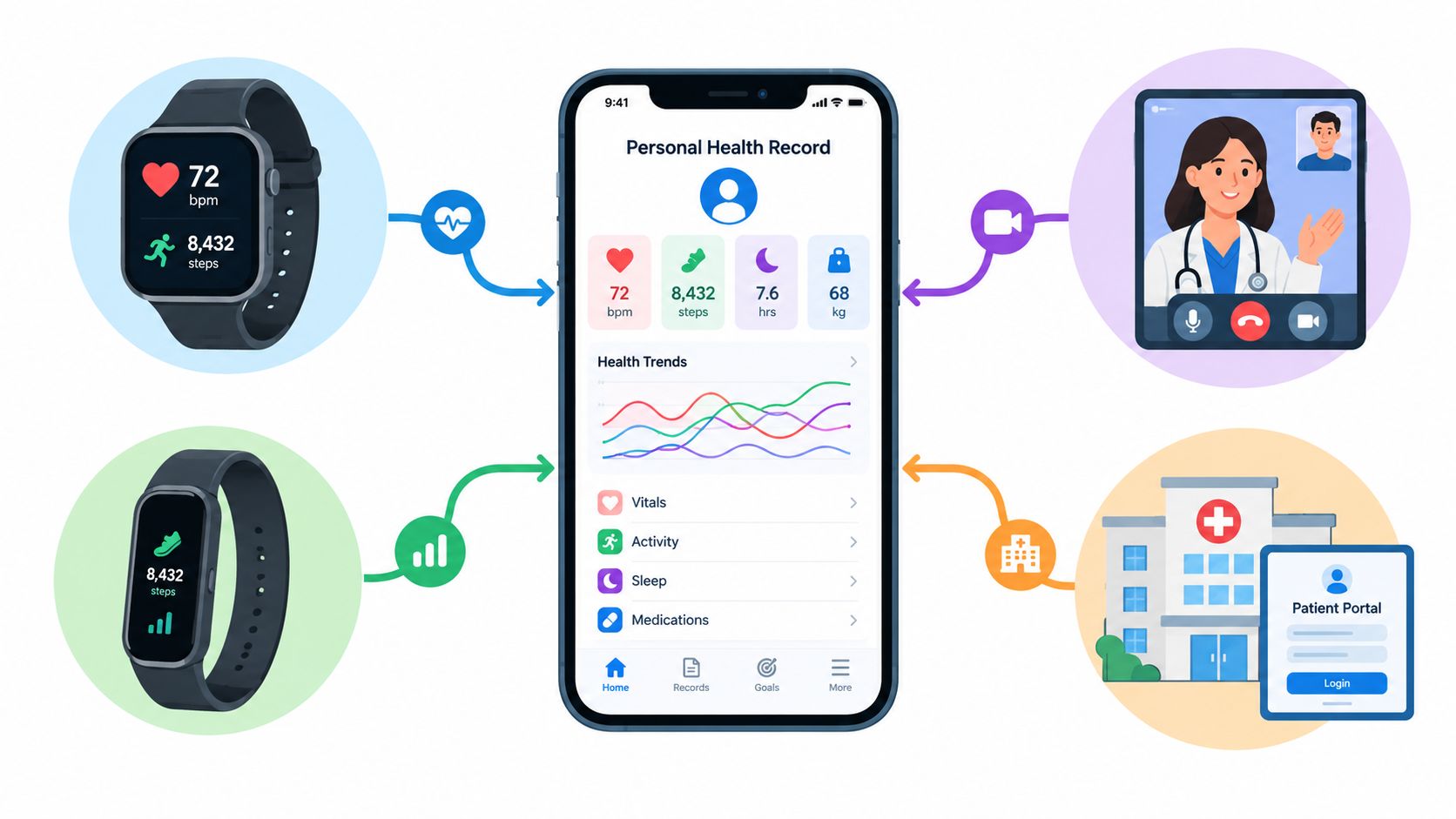
HL7 FHIR helps systems exchange data in smaller, more meaningful units rather than treating the entire record as one undifferentiated file. For patient-generated health data, the HL7 FHIR implementation guide maps most inputs to Observation resources and preserves metadata such as generation time, device context, and measurement context through elements including effectiveDateTime, device, and extensions. The HL7 guide for personal health record patient-generated data explains why provenance and context affect interpretation.
A heart-rate value without a timestamp, device source, or activity context can mislead. The same number recorded during exercise and while resting doesn't mean the same thing. Your PHR should preserve enough surrounding information for you and an authorized clinician to judge whether a data point is relevant.
Decide what should flow
The European Union's 2025 EHR Regulation states that wellness-app data shouldn't be automatically shared with EHR systems. Transfer requires user consent and is limited to specific purposes. The EU regulation on the European health data space supports a consent-first approach rather than an assumption that every connected source belongs in a clinical record.
Before connecting an app, decide:
- What data: A trend summary may be more useful than every raw reading.
- When it moves: Import after review, continuously, or only before an appointment.
- Who receives it: You, a clinician, a caregiver, or nobody else.
- What you can retrieve: Look for CSV export, a documented API, or another usable copy.
- What happens after deletion: Check whether connected services retain historical data.
A patient-owned record should make selective export possible. The American College of Physicians recommends that PHRs permit voluntary export of selected data, with patient authorization, to EHRs and untethered EMRs. The ACP policy on personal health records turns data ownership into a concrete design requirement.
See personal data ownership as an operating principle: you should be able to understand where your information goes, authorize the transfer, and retain a usable copy.
Here's a short visual explanation of how connected health data can fit into a broader personal record:
Practical Next Steps and Tips for Different Health Journeys
Your starting point should match your reason for keeping a PHR.
For general wellness, begin with medications, allergies, immunizations, major results, sleep, activity, and questions for your next appointment. Keep the record simple enough that you'll review it.
For chronic condition management, add a symptom timeline, home measurements when relevant, treatment changes, appointment summaries, and the specific patterns your clinician asks you to watch. Bring a concise trend summary rather than an unfiltered data dump.
For mental health tracking, use brief mood and anxiety ratings, sleep, stressors, functioning, treatment changes, and safety notes. Don't use a PHR to replace professional care, and seek urgent help if you're at risk of harming yourself or someone else.
For microdosing practice, record dose details, timing, protocol day, mood before and after, sleep, context, and unwanted effects. Treat patterns as observations, not proof of benefit or safety, and discuss relevant information with a qualified healthcare professional.
A manageable seven-day start
- Gather your current medication and allergy information.
- Choose one secure location for the core record.
- Add major conditions, procedures, and recent results.
- Create one short daily template for symptoms or mood.
- Decide which app or device data you need.
- Review sharing and export settings.
- Read the record as if you were a new clinician, then fix confusing, missing, or outdated entries.
Watch for common failure points. Don't copy information without checking dates. Don't treat a device estimate as a diagnosis. Don't connect every app by default. Don't share your entire journal when a focused summary will answer the clinical question.
Your PHR is working when you can find essential information quickly, explain where it came from, identify what needs confirmation, and share a purposeful summary without surrendering control of everything else. Start with a small record today, then improve it as real situations show you what's missing.
MicroTrack gives you a calm, structured place to record mood, dose details, reflections, schedules, and longer-term patterns, with encrypted entries and CSV export when you need a portable copy. Start building a patient-controlled record for your microdosing and self-reflection data by visiting MicroTrack.